
A scheduling tool you embed on any site (it works even if you host elsewhere). Visitors pick a slot, you get the booking by email, and busy times sync from your calendar. No third-party scripts and no visitor data leaving our servers.
Set up a booking widget (free)
- In your dashboard, go to Bookings and click New booking config.
- Configure:
- Name and meeting length (e.g. 30 minutes).
- Working hours per day, timezone, buffer between bookings and how far ahead people can book.
- Notification emails that receive each booking.
- Accent colour to match your brand (free), and optional Altcha spam protection.
- Embed it: copy the snippet shown and paste it into your site’s HTML. The widget renders inline; nothing else to install.
Calendar sync
Add one or more ICS calendar feed URLs (Google, Apple, Outlook). Busy times from those block out availability automatically, refreshed every 15 minutes. Confirmed bookings are emailed to you and to the visitor.
The free tier includes one booking widget with a single shared calendar.
Video meetings (free)
Set Video meeting to kMeet on any booking page and every booking gets its own video room. The link appears in four places: the calendar invite (as the event location, so it’s the button your calendar app offers), the confirmation email, the widget’s confirmation screen, and next to the booking in your dashboard.
Nobody needs an account — not you, not the person booking. They open the link and type a name. kMeet is the video service in Infomaniak’s kSuite, hosted in Switzerland.
Each booking gets a fresh room, so back-to-back meetings never collide.
What the link does and doesn’t protect
The link is the only lock on the room. It’s long and random, so nobody will guess it, but anyone holding the invite can join — including anyone it gets forwarded to, at any time, not only during the booked slot. Cancelling a booking doesn’t close its room.
For most calls that’s fine, and it’s the same as emailing someone a meeting link. If you want more control, kMeet has a waiting room: join before your guest, open Security options and switch on participant control, then admit people as they arrive. You’ll need to do this each time — rooms don’t remember settings between meetings. Infomaniak’s guide: Manage kMeet participants.
The same menu has a password and an encryption key if you want them.
Meeting location
While a video meeting is set, the free-text Meeting location field is ignored — the room link is the location. Your saved value is kept, and comes back if you set Video meeting back to None. This stops invites carrying two rival join links when you already had a standing Zoom or Whereby room in that field.
After a booking is made
Every booking shows up under Recent bookings on its booking page in your dashboard, newest first, with two things you can do to its invitation.
Send the invitation again
The invitation goes out on its own when somebody books, so Resend is for the times it didn’t arrive or didn’t survive: deleted by mistake, buried in a spam folder, or sitting in the inbox of someone who has since left.
Pressing Resend shows everyone already on the booking: the notification addresses for that page, the team member running the meeting, the person who booked, and anyone they brought along. Tick who should get it and press Send. The people you leave unticked hear nothing, so you can quietly re-send to one person without pestering the other four.
To bring somebody new in, tick “Add someone to this meeting” and give their name and email address. They join the booking properly, which means they appear as an attendee in everybody’s calendar entry, not just on the copy they receive. Adding someone changes the meeting for all of you, so that send goes to the whole list whatever you ticked, and their calendars update instead of showing stale details. A booking holds up to five extra people.
You can only send to addresses that are already on the booking, plus the one person you add. There is no way to turn it into a general mailing tool.
Download the invitation
Download saves the meeting as an .ics file. Open it and your calendar adds the meeting as
an ordinary event: the times, the topic, whatever the person wrote in their message, everyone
attending, and the video link if that page has video meetings switched on.
The file is built when you ask for it, from what the booking says at that moment, so it always matches the current details. Use it to get the meeting into a calendar that never received the email, or to pass it to somebody who only needs the details rather than a seat at the table.
What the labels mean
A booking with nothing next to it is a normal one, on and invited. There are two labels:
- Cancelled: the booking stays in the list so you can see it happened, and loses Download and Resend, because there is no meeting left to send. Cancelling doesn’t notify anybody, so tell people yourself.
- Invite failed: the invitation email couldn’t be sent. Press Resend to try again; the label clears as soon as one gets through.
Bookings Plus
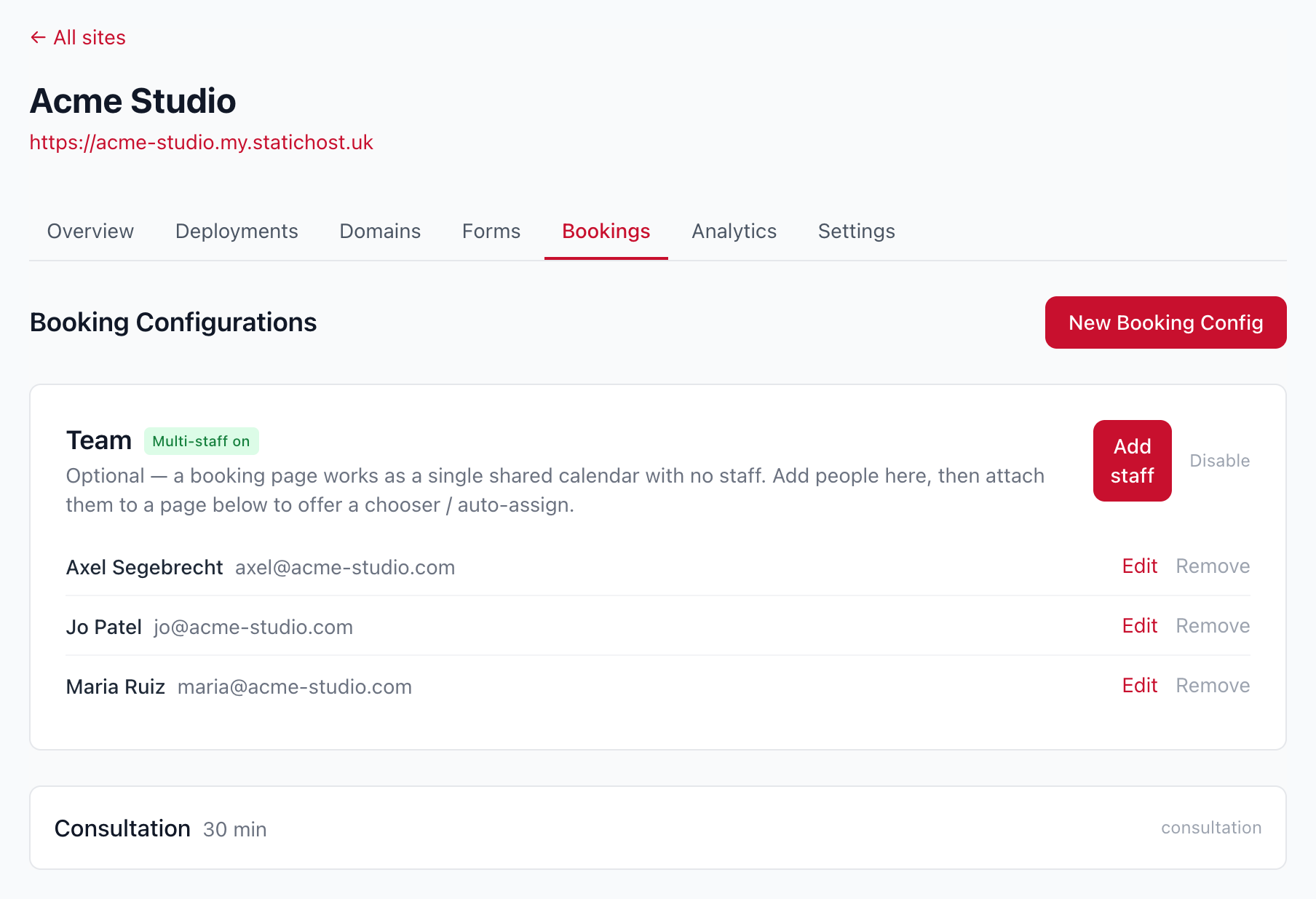
Upgrade a site to Bookings Plus for team scheduling:
- Add your team (up to 10 members), each with their own email, working hours and calendar feeds.
- Booking modes: let visitors choose a person, auto-assign to whoever’s free (load-balanced), or both.
- Up to 11 widgets per site (one shared plus one per member). Agency bundles raise this to 25 members and 30 widgets.
- Branded sender — booking emails from your own domain (coming soon).
See Bookings Plus on the features page for the overview.
